
Simple YAML format
Define cover, objectives, sections and slides in plain text. No PowerPoint, no dragging boxes.
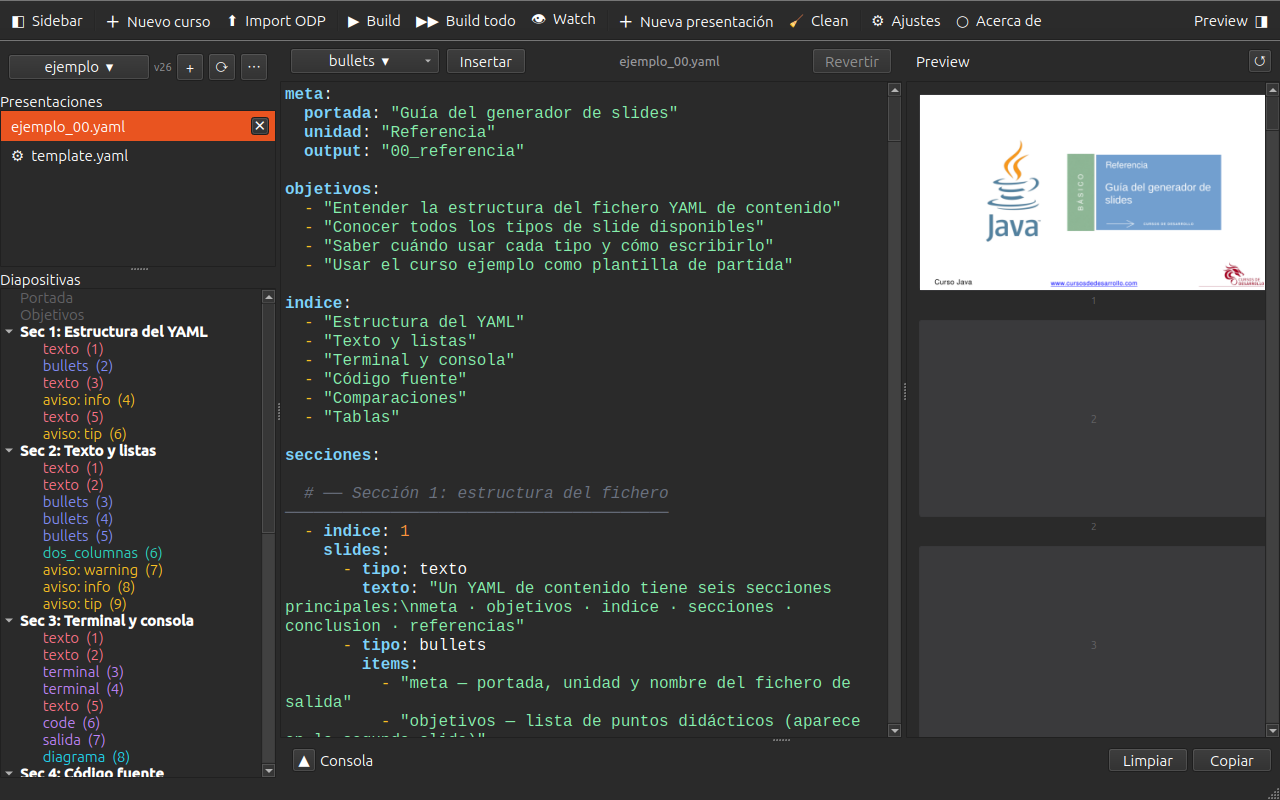
Simple YAML format
Define cover, objectives, sections and slides in plain text. No PowerPoint, no dragging boxes.
Customisable ODP templates
Use your own LibreOffice Impress template. Temario detects styles automatically.
CLI and GUI
Generate presentations with ./temario build or from the desktop graphical interface.
Smart auto-split
Long code or large lists are automatically split into multiple slides with [N/M].
Automatic PDF
Exports to PDF via headless LibreOffice in the same build step.
Reactive watch
Regenerates on save thanks to inotify (Linux) or FSEvents (macOS).
# 1. System dependencies (Ubuntu/Debian)sudo apt-get install -y git curl libreoffice poppler-utils
# 2. Install uv (Python environment manager)curl -LsSf https://astral.sh/uv/install.sh | shsource ~/.local/bin/env   # or open a new terminal
# 3. Clone and installgit clone https://gitlab.com/pepesan/temario-app temario && cd temariouv sync
# 4. Build the example course./temario build courses/ejemplo
# 5. View the resultls courses/ejemplo/output/meta: portada: "Introduction to Java" unidad: "Unit 01" output: "01_intro"
objetivos: - "Understand the JVM and javac compiler" - "Write and run your first Java program"
secciones: - titulo: "Hello, world" slides: - tipo: java texto: | public class Hello { public static void main(String[] args) { System.out.println("Hello, world!"); } }
conclusion: - "Java compiles to portable bytecode" - "The JVM runs bytecode on any platform"
referencias: - ["Official Java documentation", "https://docs.oracle.com/javase/"]Temario is open source (GPL v3). You can contribute with code, translations or by reporting bugs on GitLab.
Contribute code
Open an issue, fork the repo and send a Merge Request.
Contribute translations
Help translate the interface and documentation into other languages.